
Try MailVault
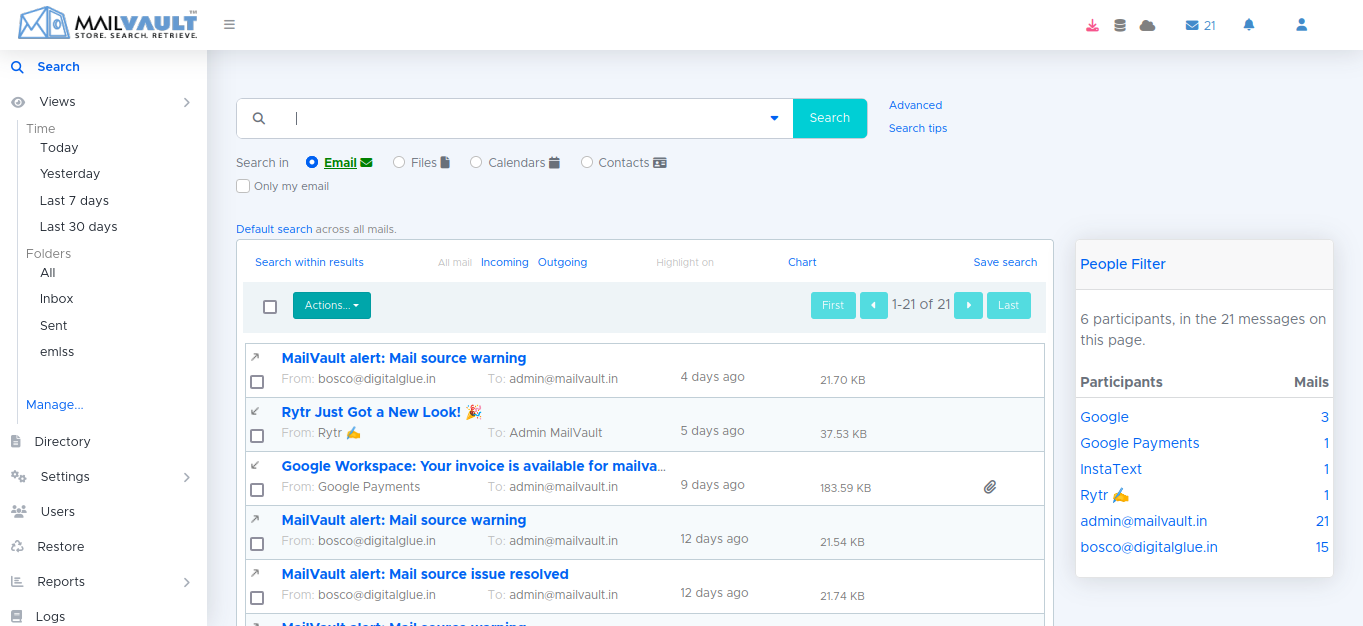
Discover MailVault's powerful email archiving solutions through two convenient options: download a full-featured demo copy or experience our SaaS model on MailVault's cloud instance.
Choose the method that best suits your needs and explore the comprehensive capabilities MailVault offers for secure and efficient email management.

RETRIEVABILITY ASSURANCE
Download MailVault
New users may download a copy to test run and explore MailVault. The demo copy is full-featured, but limited to three users and one thousand emails. We encourage the “try before you buy” approach and in case you need to, you may apply for an evaluation license.
Note: This is standalone MailVault, where a single installation serves a single organization. Service Providers should explore MailVault SPE.
RETRIEVABILITY ASSURANCE
Latest version
The latest version of MailVault is v7.0.0
Incremental upgrade: v7.0.0 (April 15, 2026)
System requirements
The system requirements obviously depend on multiple factors, the most important being the volume of email you expect to archive, especially on an ongoing routine basis. Storage space would also depend on how long you wish to retain the email.
For small companies, a modern machine, with 8 – 16 GB of RAM should be adequate. Larger organizations, or if the volume of email is significantly larger, are better served by 16 – 32 GB of RAM. If you are a large organization with many thousands of users, or have other specific needs and would like us to help you size your system requirements, or if you have specific queries, please get in touch with us.
Compatibility
MailVault for Windows
This is a completely self-contained installable (no prerequisites required), and should work on all Windows Desktop Editions (Windows XP onwards), and all Windows Server Editions (Windows Server 2003 onwards).
Starting with v5.3.0, MailVault is available only as a 64-bit release.
Download
MailVault for Linux
This is a zipped file, which you can simply uncompress in the desired location. The enclosed README file walks you through the steps.
We currently support Ubuntu and CentOS, but other distributions work too – Debian, Redhat (RHEL) and similar derivatives.
Starting with v5.3.0, MailVault is available only as a 64-bit release.
In case you plan to install Linux afresh, our recommendation would be Ubuntu. A LTS release like 22.04.x is ideal.
MailVault for Linux requires the following software to be present on your system:
- Python 3.8.15
RETRIEVABILITY ASSURANCE
MailVault SaaS
Experience MailVault’s robust email archiving capabilities through our convenient SaaS model. By leveraging MailVault’s cloud instance, you can quickly set up and explore the full feature set without any installation hassles. This option allows you to see MailVault in action in a live environment, perfect for assessing its fit within your organization.
To ensure personalized support and optimal resource allocation, we request interested users to contact our team to set up their SaaS trial. This approach allows us to tailor the experience to your specific needs and provide the best possible guidance during your trial period.
Key Features:
- Seamless cloud-based setup
- Comprehensive email archiving capabilities
- Scalable to meet diverse organizational needs
Note: To start your SaaS trial, please reach out to our team. We will assist you in setting up your trial instance and ensure you receive the necessary support to make an informed decision. Service Providers should explore MailVault SPE for extended functionalities.
Try MailVault’s SaaS model today by contacting us, and let our team help you explore how MailVault can enhance your email management and archiving needs.
*If you want to try MailVault as a Service, please contact us.
FAQs
The demo is a standalone install on your own machine — good for testing but capped at 3 users and 1,000 emails. The SaaS version operates on MailVault's own cloud instance, allowing you to try the entire feature set without installing anything locally.
A modern machine with 8–16GB RAM is enough for most small setups. If you're a bigger organisation with a lot of users or a large volume of mail, it's worth reaching out so they can help size the setup correctly.
Yes. Windows works from XP onward (desktop) and Server 2003 onward, self-contained with no extra prerequisites. On Linux, it's supported on Ubuntu and CentOS (other distros like Debian or RHEL generally work too), and just needs Python 3.8.15 installed.
For a quick look, yes — it's full-featured, just limited in scale. If you want to test it properly with your real volume of users and mail, it's better to request an evaluation license instead.
If you're managing infrastructure for multiple clients rather than just your own company, you'd want the Service Provider Edition instead, not the standalone version — it's built for exactly that.
It doesn't disappear — the archive stays put and fully searchable, even once their account is switched off. This comes up more often than people expect. Old client threads, signed approvals, contract back-and-forth — someone always ends up needing to dig one of these up months or even years after the person's gone, and a proper archiving setup keeps all of it intact no matter what happened to the account.
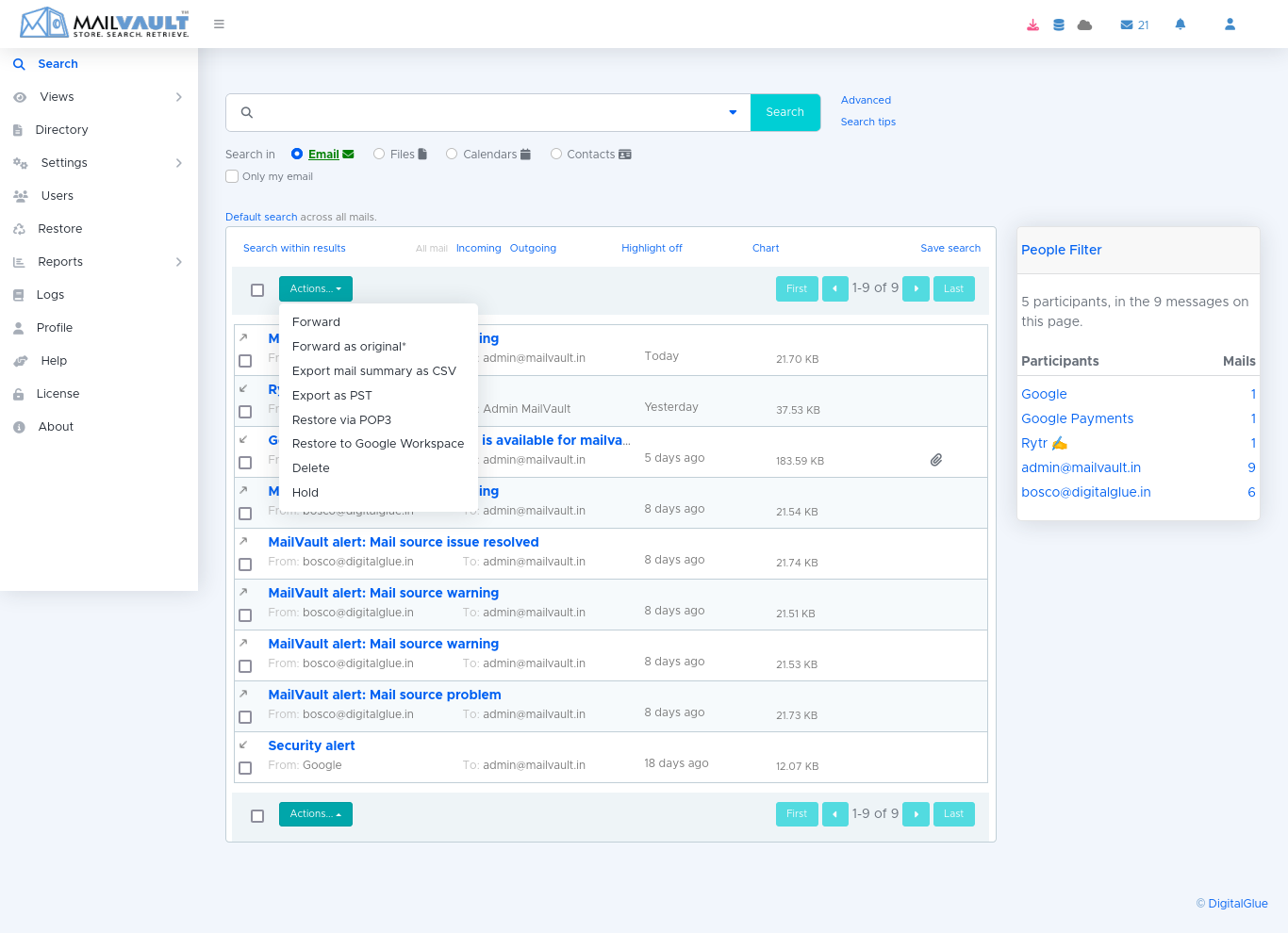
Modern archiving tools support both. MailVault, for example, works natively with Microsoft 365 and Google Workspace, but also with older or self-hosted systems like MS Exchange, Zimbra, or plain POP3/IMAP servers — so you're not locked in if you ever change email providers.
Properly archived email should be encrypted, access-controlled by user role, and tamper-detected — meaning no one can quietly edit or delete a message once it's archived. That's part of what separates a real archiving tool from just dumping old mail into a folder.

Get started
Buy MailVault
MailVault pricing is based on user-license slabs. Our international users can purchase MailVault online – conveniently and securely. For users from India, we accept cheques and demand drafts too.